Local server discovery
Ready to Share shows web servers detected on this Mac, with their names, ports, and uptime. Click a localhost entry to open that service directly in your browser. Click Share to publish it, or use the adjacent provider menu to select a different provider.
The list refreshes every few seconds while visible and about once a minute in the background. Servers that stop responding disappear, and detected downtime resets uptime. Detection is sampled, so a stop/restart entirely between scans may not be observed.
Main window
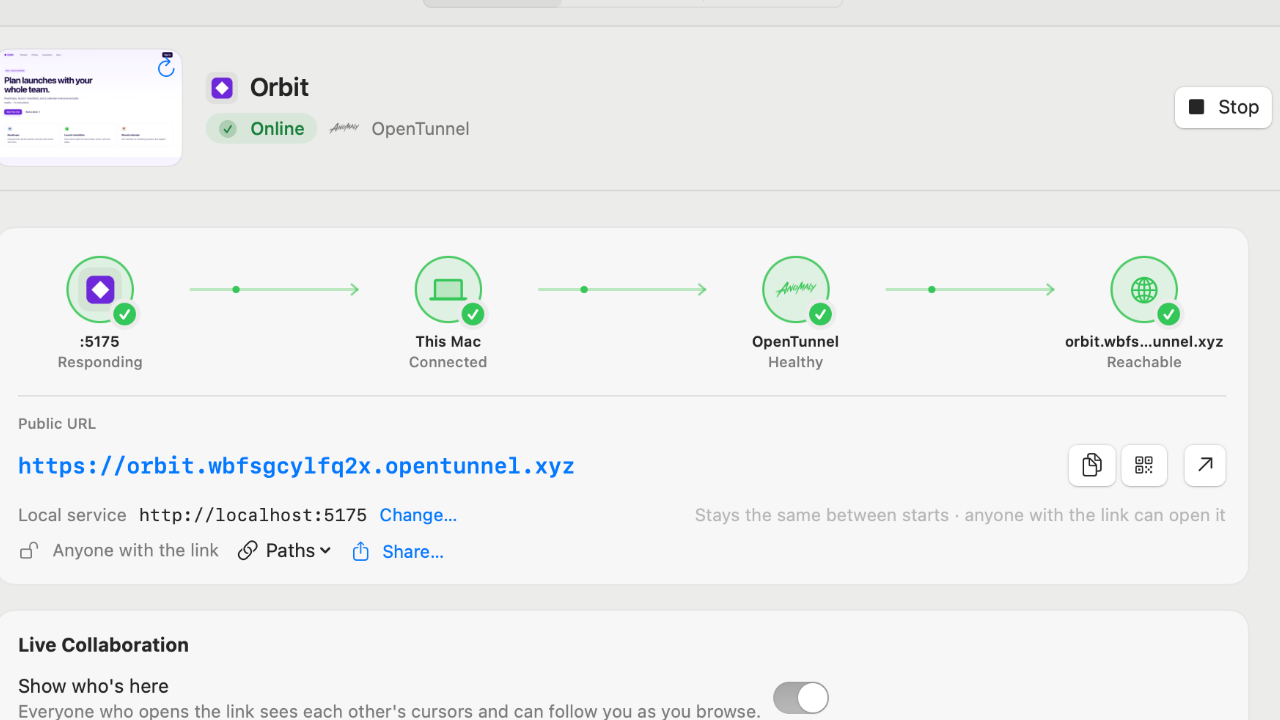
Select a share to see Overview, Logs, and, where supported, Requests or Feedback. The connection path separates the local server, connector, provider, and public endpoint so you can see which stage needs attention. A green provider status alone does not mean your local app is responding.
Missing metrics show a dash rather than a made-up zero. Connector logs are not the same as your app’s console; use the local server’s terminal for application errors.
Sharing controls
- Share button default. Settings → General → Share button uses picks what a plain click on Share does: a temporary Cloudflare URL, a private tailnet share, or ngrok. The ▾ menu lets you choose another provider, including OpenTunnel.
- Auto-stop. Stop shares after (15 min, 1 h, 4 h, or never) applies to new shares; Stop After in a tunnel's ⋯ menu changes a running one. A countdown shows in the header and on Live cards, and a notification says when time ran out.
- Host header fix. When Vite, Next.js, Django, or Rails reject the public hostname, the Public site check says so and offers Fix Host Header, which makes the tunnel send the local host (e.g.
localhost:5173):--http-host-headerfor Quick Tunnels, anadd-headerspolicy for ngrok, andoriginRequest.httpHostHeaderon the Cloudflare route for custom domains. Config Snippet… shows the framework setting instead; Tailscale shares can only use the snippet. - Saved paths and sharing. Paths copies the public URL plus a saved path such as
/api/webhooks/stripe; Share… opens the macOS share sheet. - Notification actions. "Is live" notifications have Copy URL and Stop; failures have Show Details.
Lifecycle and ownership
Stop keeps a share’s saved settings. Remove deletes the local entry. Quitting stops app-owned connectors and routes, while externally started connectors remain untouched. After a crash, OpenTraffic checks and cleans up connectors and routes it owns on the next launch.
For provider-specific details, see Cloudflare, OpenTunnel, and Tailscale.